
Open an email or SMS blast and select the Recipients tab to begin.
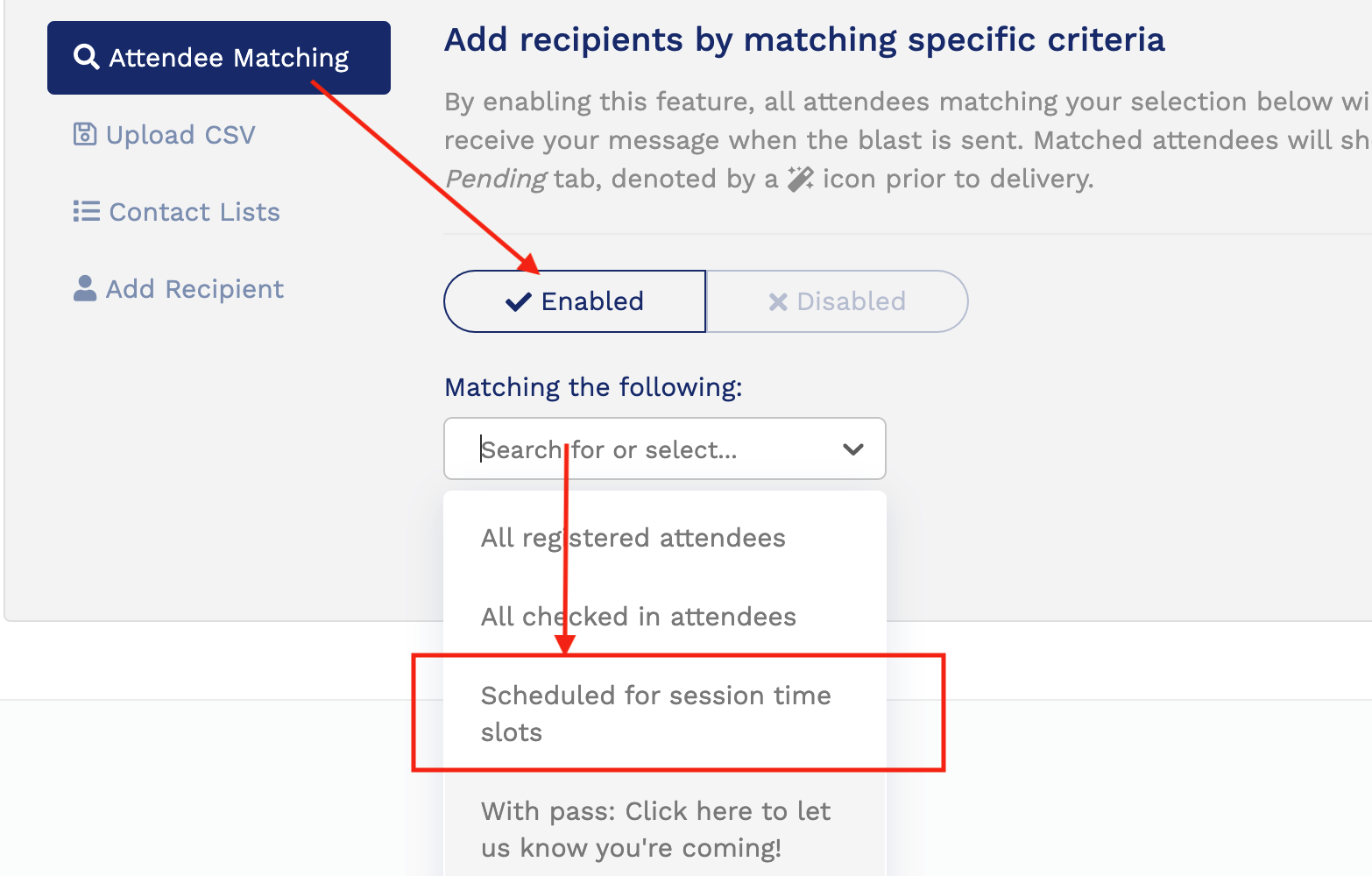
Select Attendee Matching and Enabled as you normally would, a new option "Scheduled for session time slots" is now available.
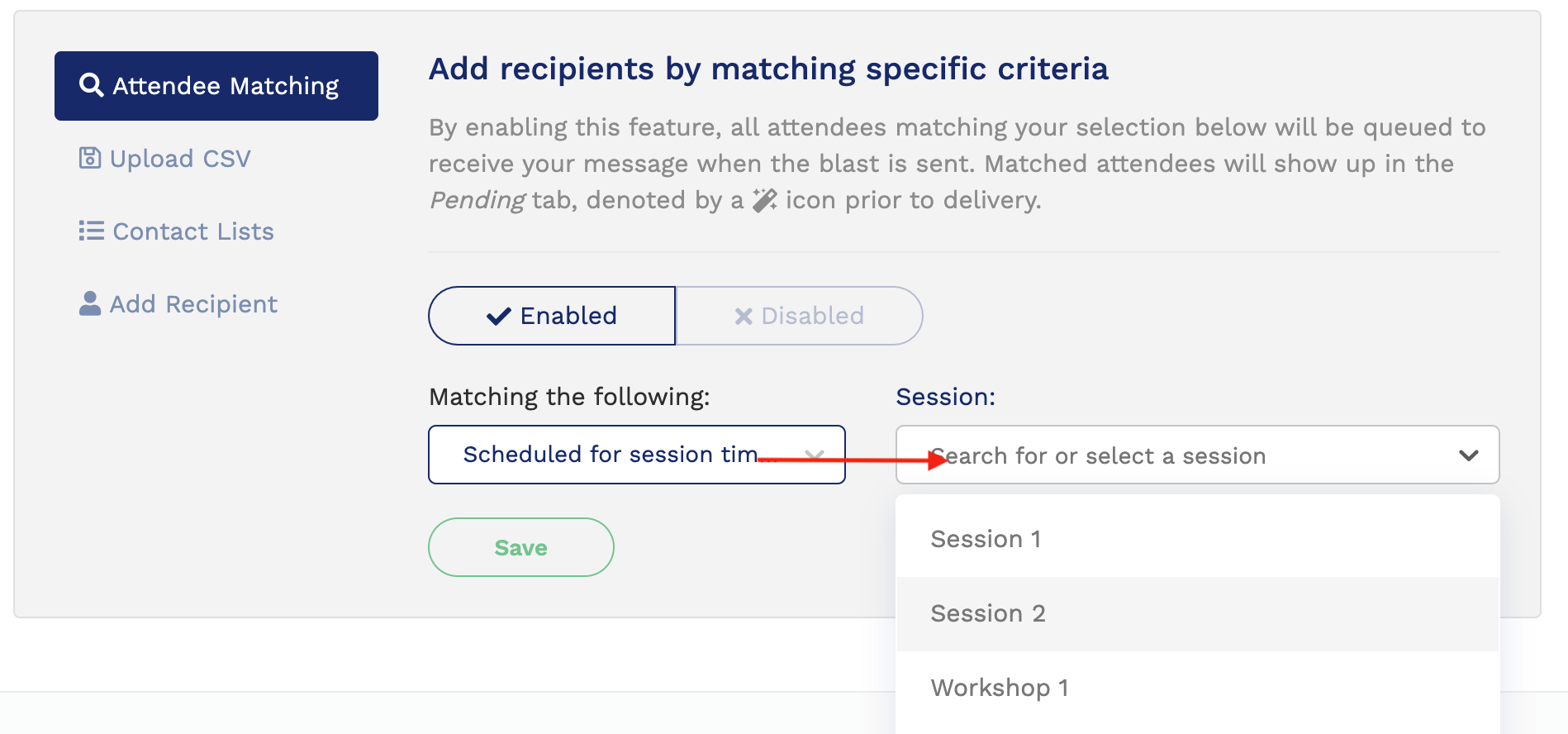
Once you have selected this new option, select a session from your event. If you have a large number of sessions the top area of the drop down can be used to search.

After selecting your session you can then choose either to email all time slots, or selected time slots. If you choose selected time slots, you'll be presented with a list to choose from.
Click Save to generate the list based on your selection.
An important note: the topmost checkbox selects all items below it, but only does so on the page you are viewing. If your session has more than 10 time slots you'll need to navigate to each page and select the sessions there.
That's it! Emails can now be sent by session and session time slot.
Comments
0 comments
Please sign in to leave a comment.