
Attendease can generate calendar files per session or a single file containing all sessions, and now we can link attendees directly to those sessions.
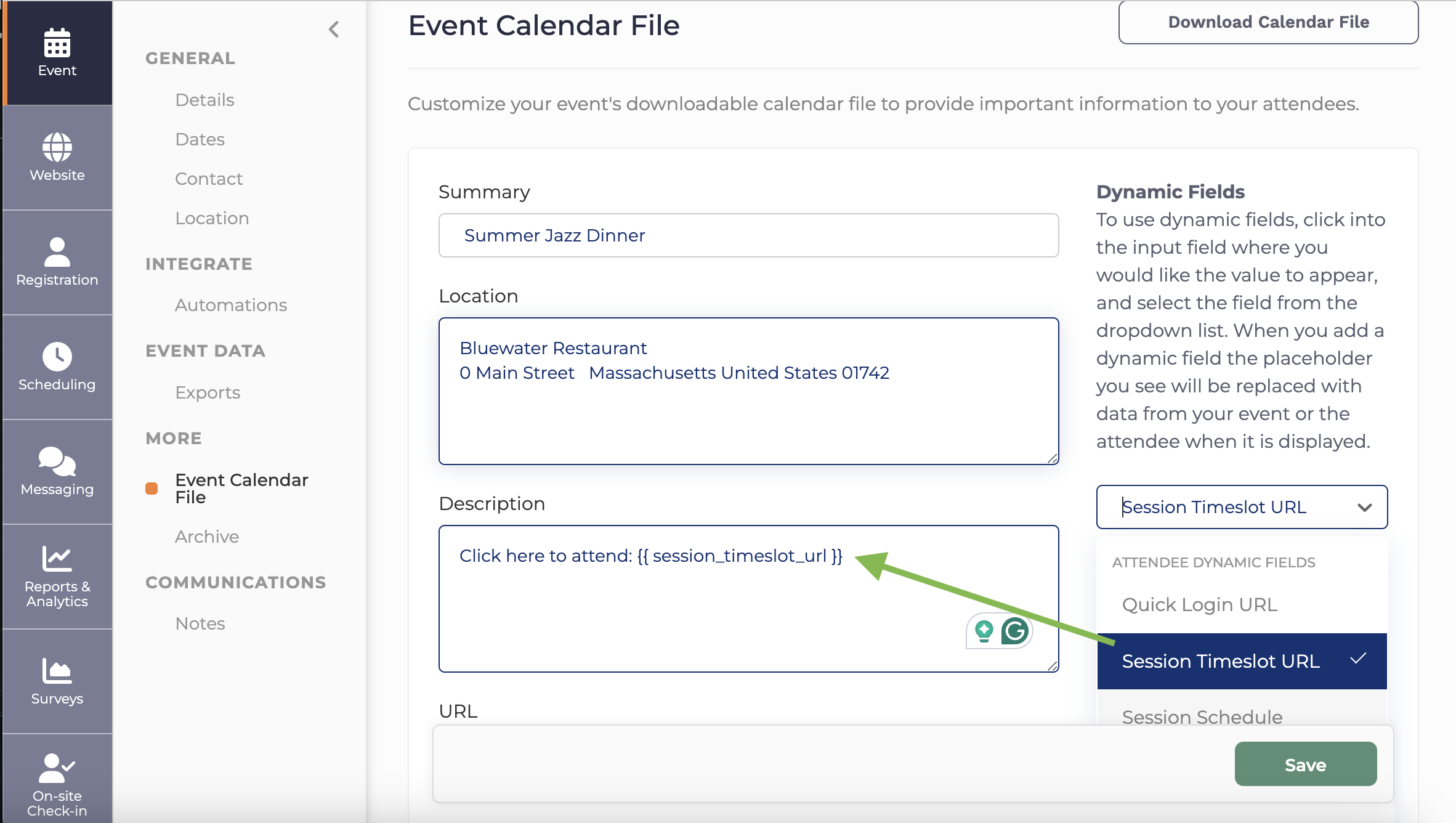
When editing your calendar file in Event > More > Event Calendar file, use the Dynamic Fields drop down on the right, and select "Session Timeslot URL"
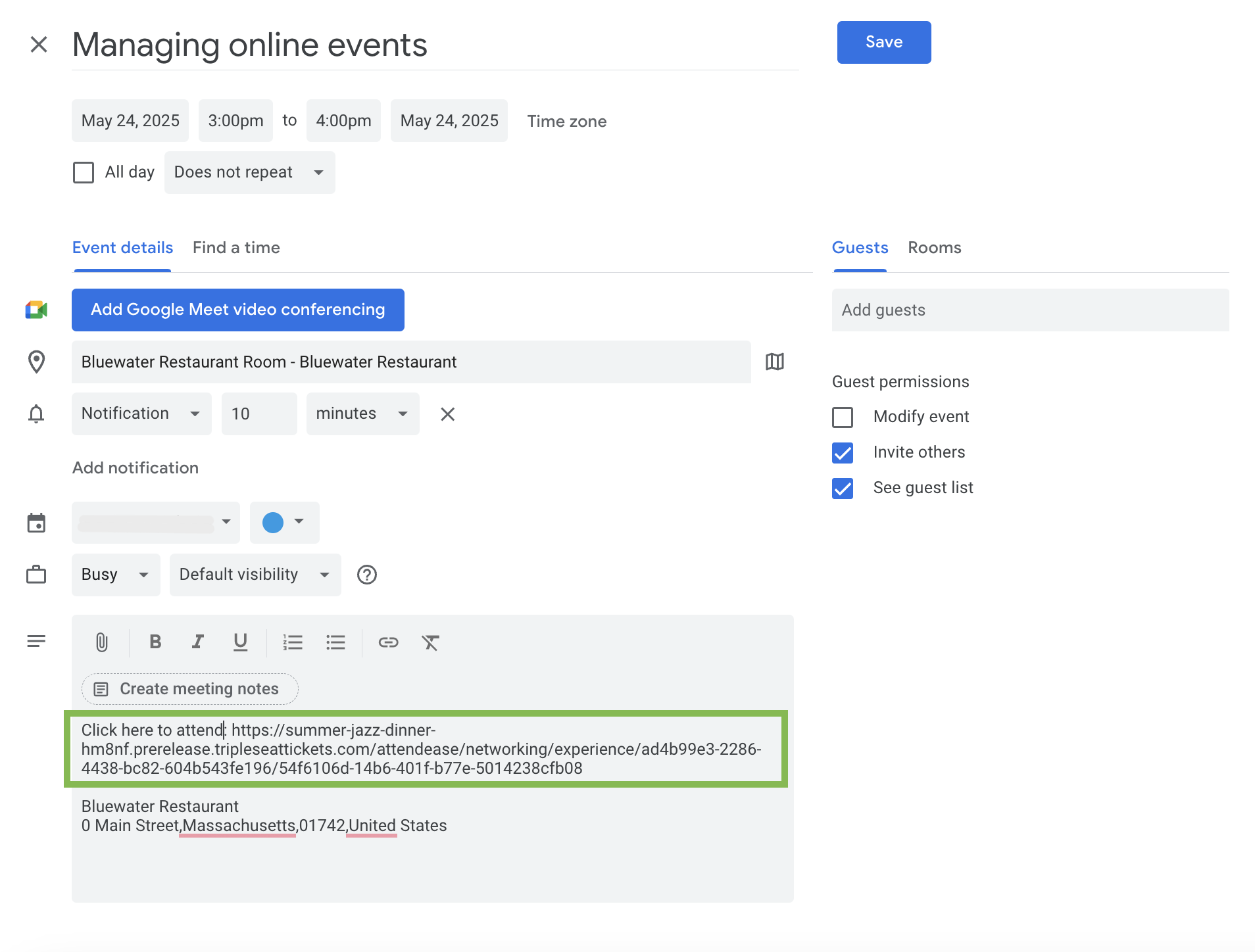
In the calendar file it will appear like this.
Comments
0 comments
Please sign in to leave a comment.