
The following confirmation emails can be suppressed on an event-by-event basis:
-
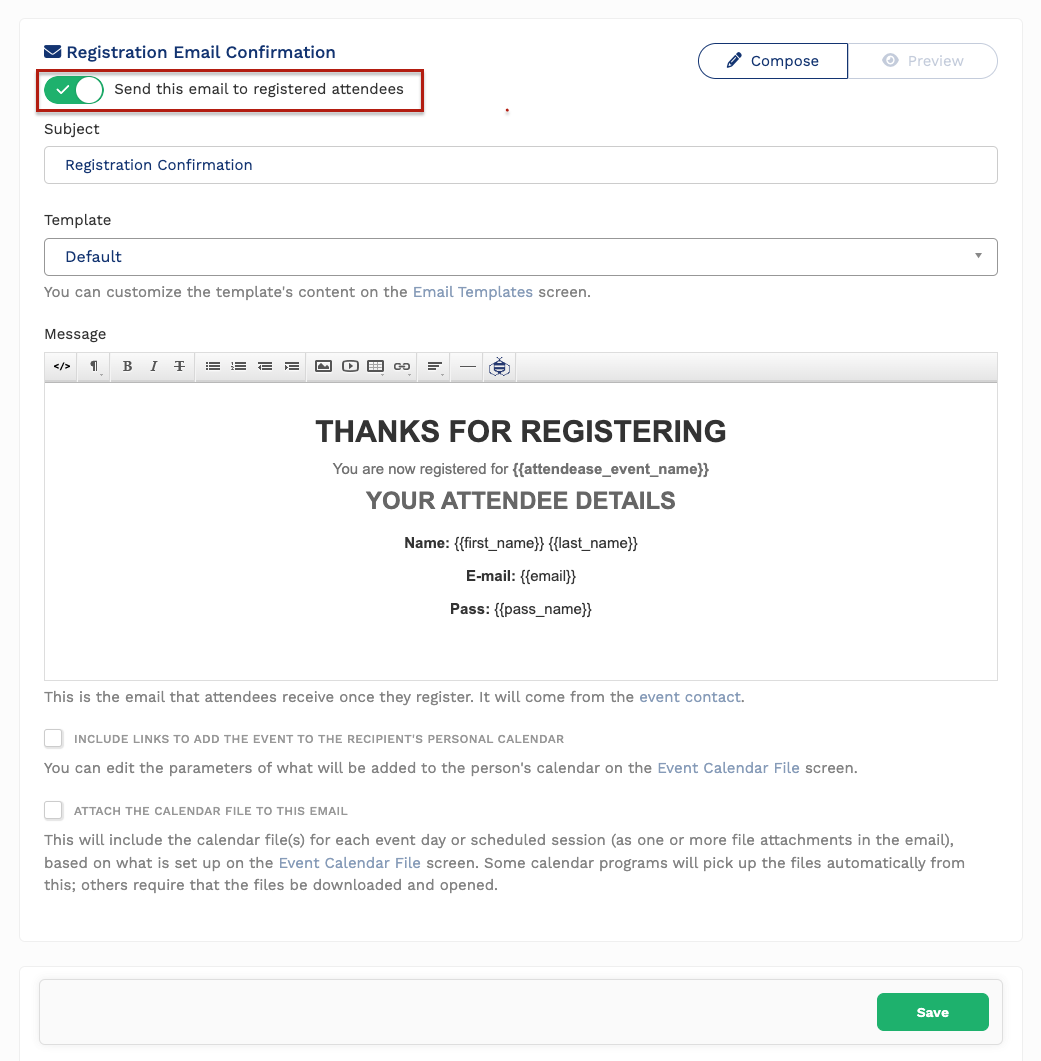
Registration Email Confirmation
-
Imported Attendees Email Confirmation
-
Pass Waitlist Email Confirmation
-
Cancel Attendee Email Confirmation
-
Change Pass Email Confirmation
Configuration
To suppress the above automated confirmation emails from being sent across your event:
-
Navigate to
Registration -> Confirmationsin your Event dashboard. -
Scroll to the confirmation email you would like to configure
-
Flip the confirmation toggle on or off, depending on your preference
-
Click
Save
Your setting will be applied to all emails within the event you are in.
Comments
0 comments
Please sign in to leave a comment.